Syncing Up Your Phone/Using Driver Assist In The 2014 Lexus GX 460

You found it! This is the post where you can quickly and easily learn how to use Driver Assist, as well as sync up your phone in the 2014 Lexus GX 460.

Seriously, there currently is no other post on the Internet that caters to such a specific and targeted demographic.

That makes you special for finding this. Now that you’re here, let’s get to work.

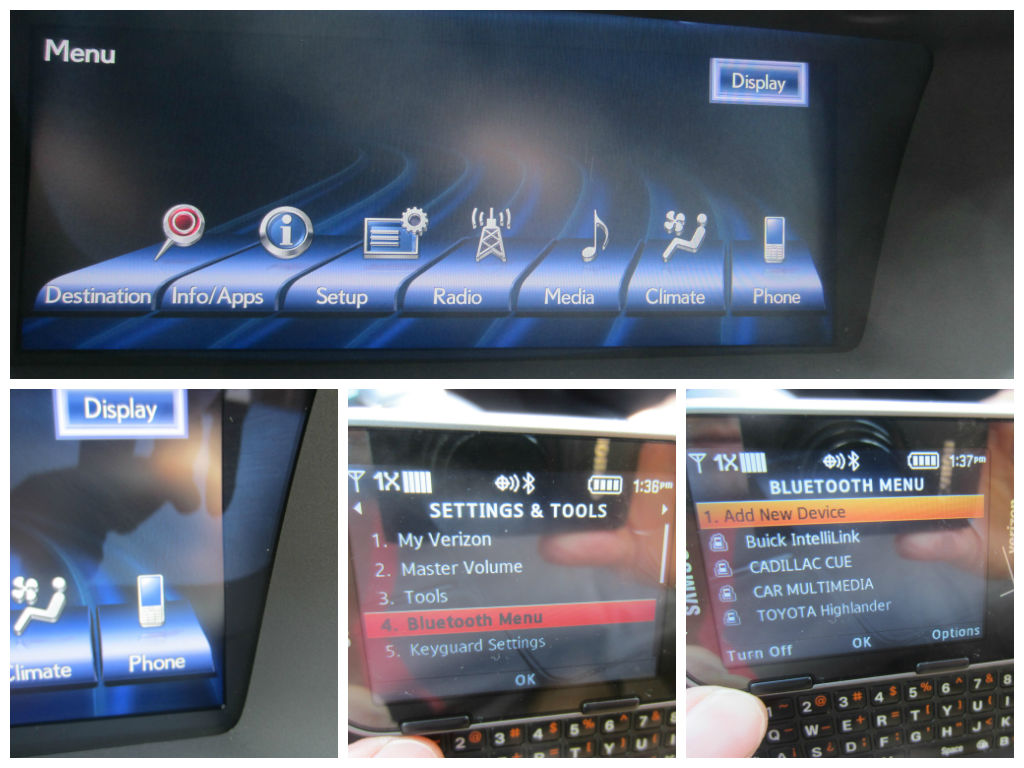
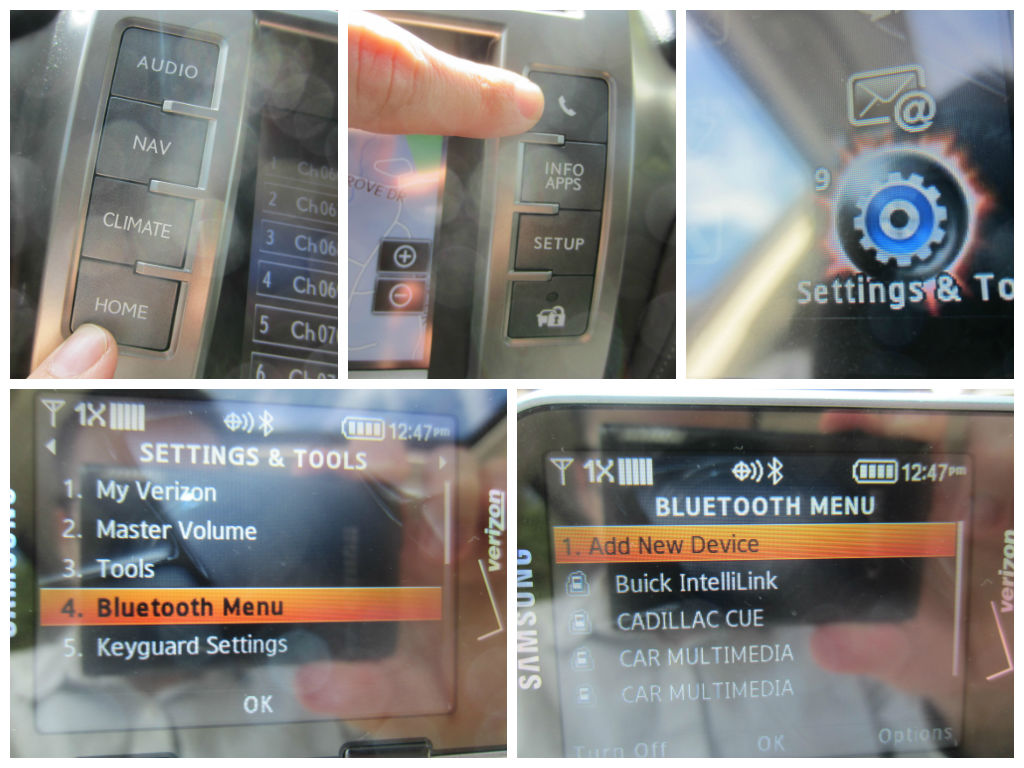
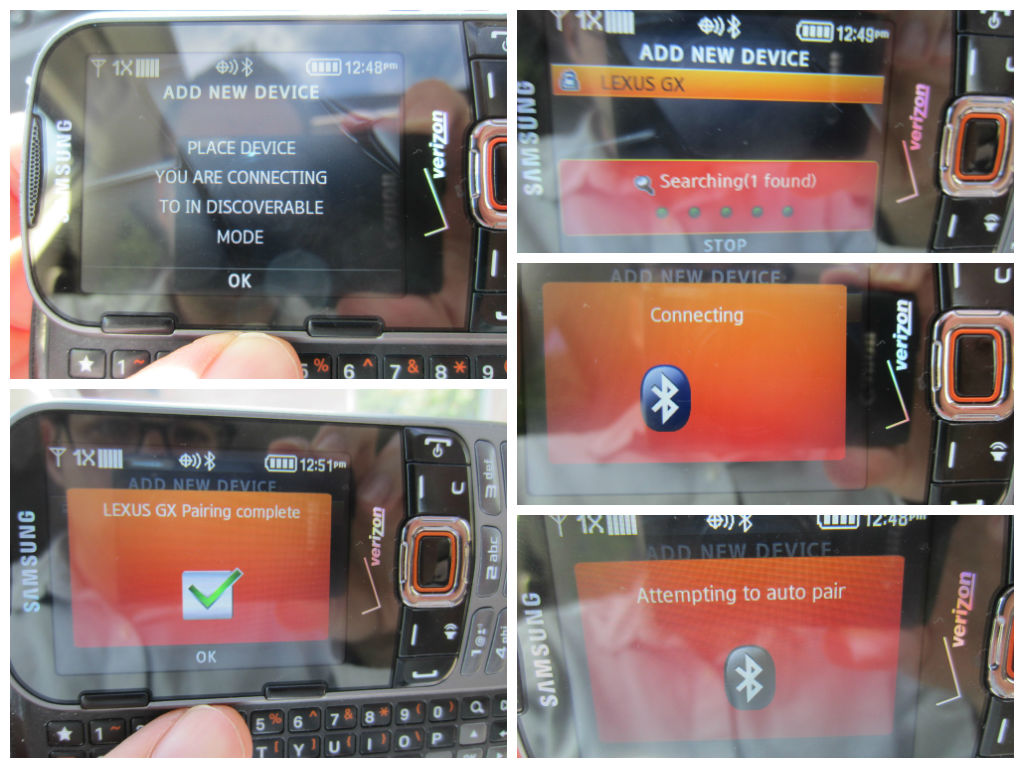
To sync your phone, press “home,” then on the phone symbol. Meanwhile on your phone, pull up the equivalent of “settings and tools.” Find “bluetooth menu” then select “add new device.”

(Keep in mind that all phones are a bit different, but I hope to serve as a decent guide for you today.)
Using Driver Assist/Syncing Up Your Phone In The 2014 Lexus GX 460

Using Driver Assist/Syncing Up Your Phone In The 2014 Lexus GX 460

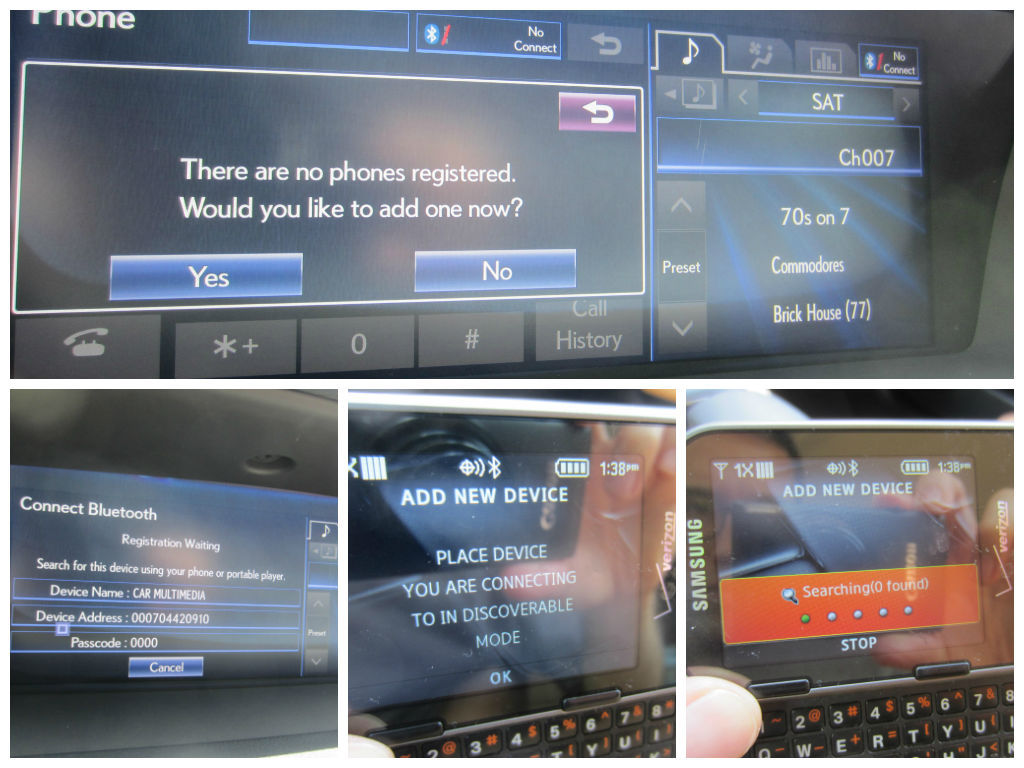
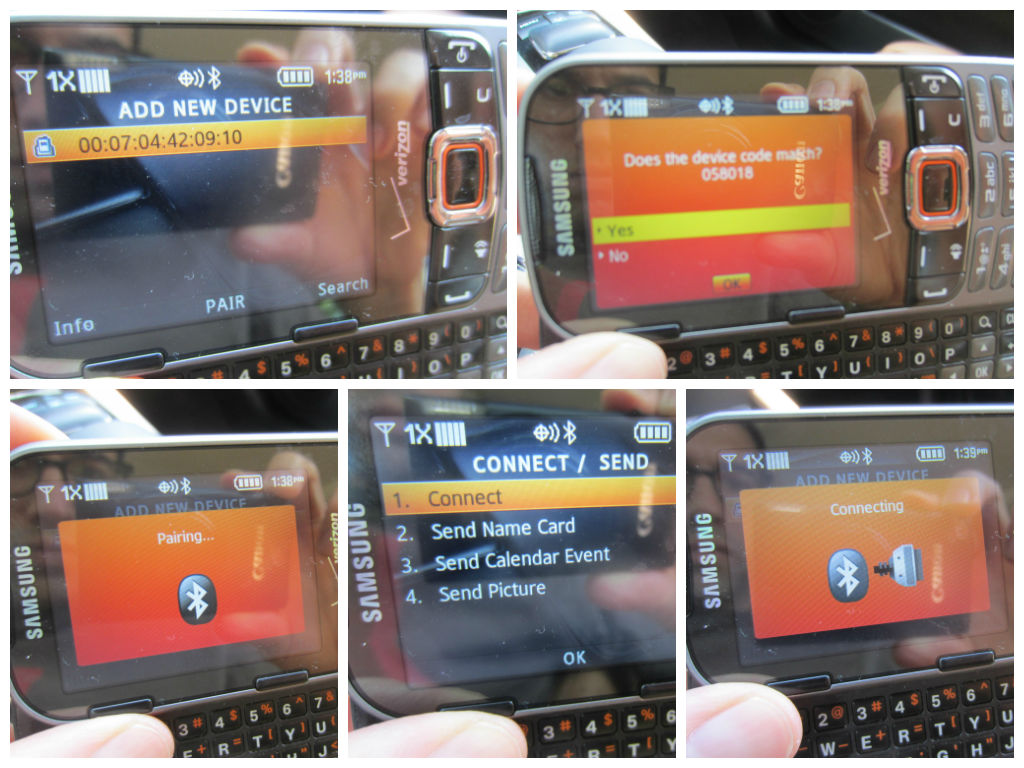
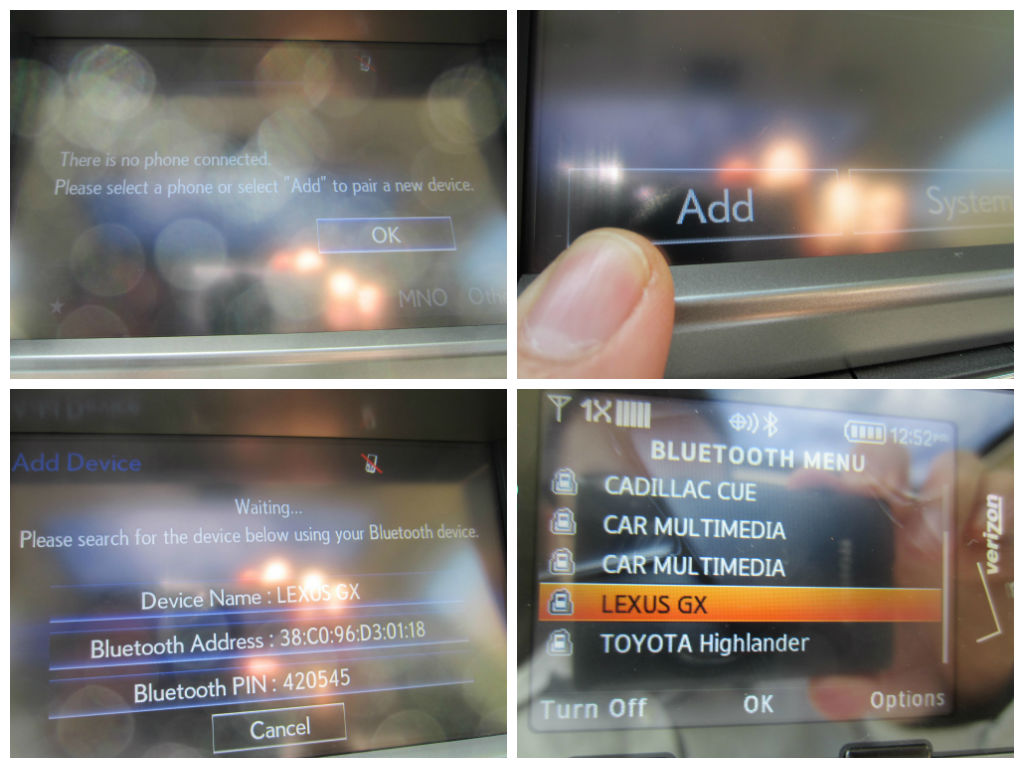
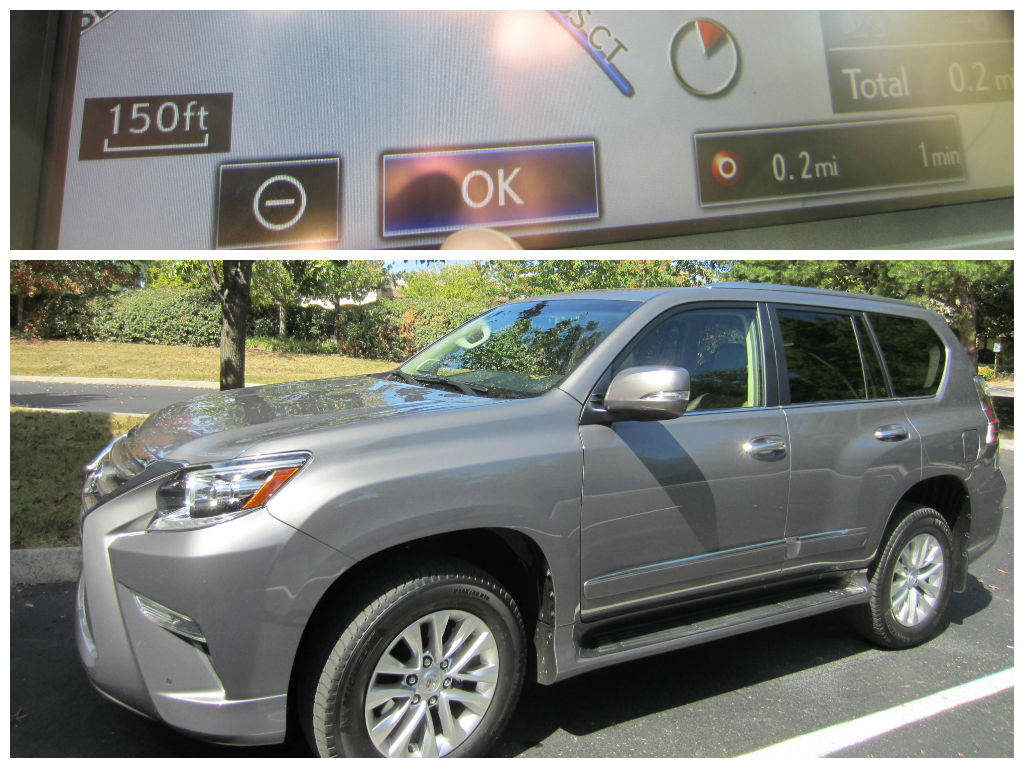
Keep on eye on the panel screen of the vehicle, making sure you select “ok” and “add” once the phone and vehicle begin discovering each other…
Using Driver Assist/Syncing Up Your Phone In The 2014 Lexus GX 460

You’ll know for sure everything is complete once you see on your phone that the Lexus GX appears on your “bluetooth menu.” From there, the next time you use your phone, the conversation will automatically happen over the vehicle’s stereo speakers.

Now let’s talk about Driver Assist. I love it because, call me lazy, but I’d rather not have to look up and find the address of my destination.

So instead, I just press the “nav” button, then “dest.” on the screen. From there, I press “Destination Assist” and then a friendly person starts talking to me over the stereo speakers, asks me where I want to go, then uploads the route to the GPS.

Using Driver Assist/

Then I press “mark” and “go” and “ok.”

Using Driver Assist/

Alright, you’re all set. Thanks for finding and trusting me with teaching you this today. You never know when I might come in handy again…
Using Driver Assist/

Were you interested in what you just read? Was this post a strangely pleasant distraction to other things popping up on your Facebook or Twitter feed? Ya know… you could always like me on Facebook, follow me on Twitter, or even subscribe to Family Friendly Daddy Blog by clicking on the appropriate icon on the left side of this page. No pressure though…

Dear Jack: Our 2nd Visit To Our New House/ 2014 Lexus GS 450h Family Friendly Review

3 years, 9 months.

Dear Jack,

Over the weekend I made it “Facebook and Twitter official” that our family bought a new house two weeks ago. To be specific, we’re building a new house in the “bedroom community” of Spring Hill, TN. (Our new home is currently a concrete slab.)

(See Dear Jack: We’re Building A New House In Spring Hill, TN.)

2014 Lexus GS: Family Friendly Review/Our 2nd Visit To Our “New House”

I know this sounds strange, but other than going to our lot on the day we “bought” it (meaning we put down the honest money), that was the only time we saw it. We didn’t even check out the surrounding neighborhoods on that day.

Granted, we had well researched the neighborhood online, making sure it was in the “right county for schools,” which is Williamson if you live in the Nashville area.

Plus, our real estate agent Dave Stanley also verified it was a good neighborhood, too; as did another real estate agent in my office, along with about 4 or 5 other co-workers who live in Spring Hill.

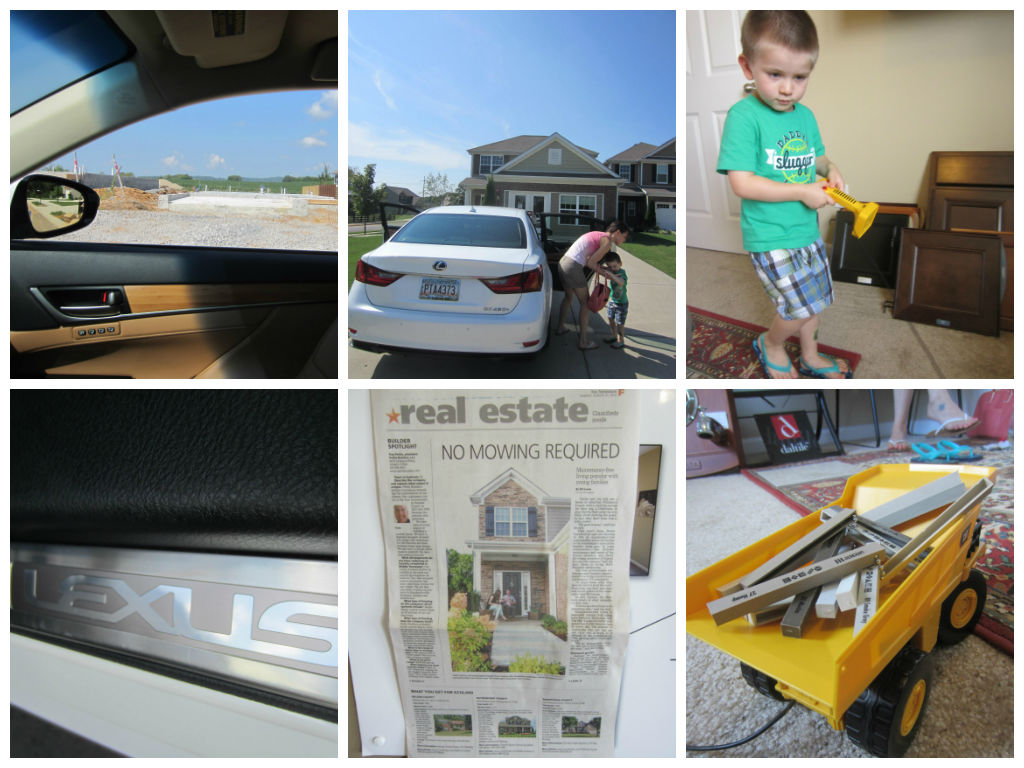
(The picture directly below, looking out the car window, is a shot of our new home.)

Our 2nd Visit To Our “New House”/ 2014 Lexus GS 450h: Family Friendly Review

So our family decided, now that we’ve signed all the proper paperwork and got all the financial approval and all that fun stuff… that we should officially check out the neighborhood.

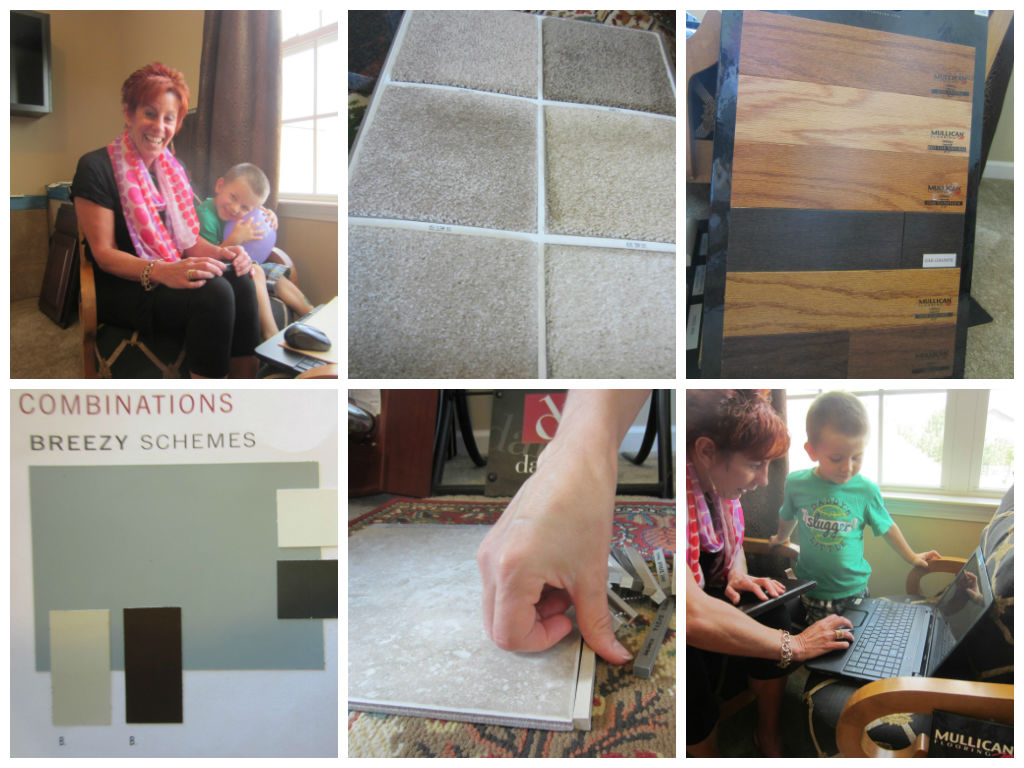
Plus, we were able to pick out the color of our house (sort of a sea blue), carpet, and granite countertops. You helped the in-house agent enter the info into the computer.

Our 2nd Visit To Our “New House”/ 2014 Lexus GS 450h: Family Friendly Review

To keep you entertained, I played “Easter Egg Hunt” with him using balloons in the model home; which is the same floor plan as we will have. We also played “Balloon Basketball” using a shelf on the wall.

Our 2nd Visit To Our “New House”/ 2014 Lexus GS 450h: Family Friendly Review

Afterwards, our family did a “neighborhood drive-by”, checking out the elementary school and new rec center which you can see from our street.

It’s also convenient that the church we will be attending is right around the corner too.

Our 2nd Visit To Our “New House”/ 2014 Lexus GS 450h: Family Friendly Review

We were also able to meet our next door neighbor; a really nice lady from Detroit who has a 5 year-old granddaughter who happens to live in the neighborhood too.

This is really exciting stuff!

Our 2nd Visit To Our “New House”/ 2014 Lexus GS 450h: Family Friendly Review

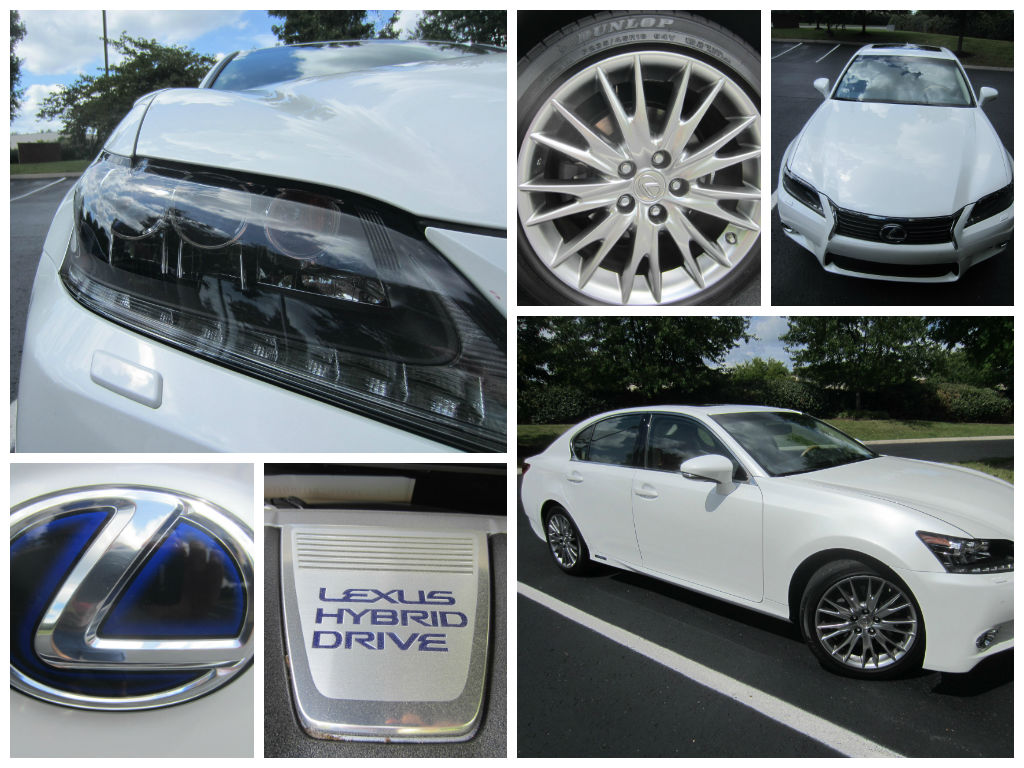
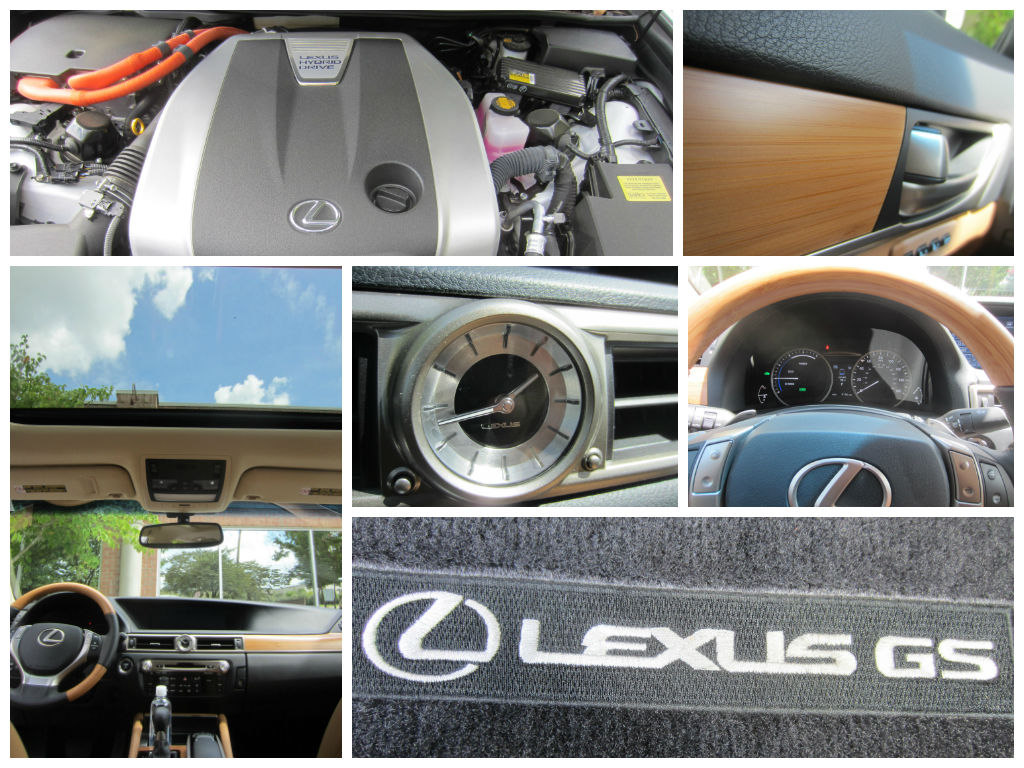
Of course, the whole time, we were cruising around in the glorious 2014 Lexus GS 450h. (I’ve been regularly reviewing cars for a solid year now, as a daddy blogger.)

I should say right off that I very much appreciated that it averages 31 miles per gallon. (The “h” in its name stands for “hybrid.”) Considering all the driving we did to, around, and from our new home, I never had to think about fueling up.

Our 2nd Visit To Our “New House”/ 2014 Lexus GS 450h: Family Friendly Review

After having driven the 2014 Lexus GS 450h for an entire week now, it’s still not down to half a tank yet.

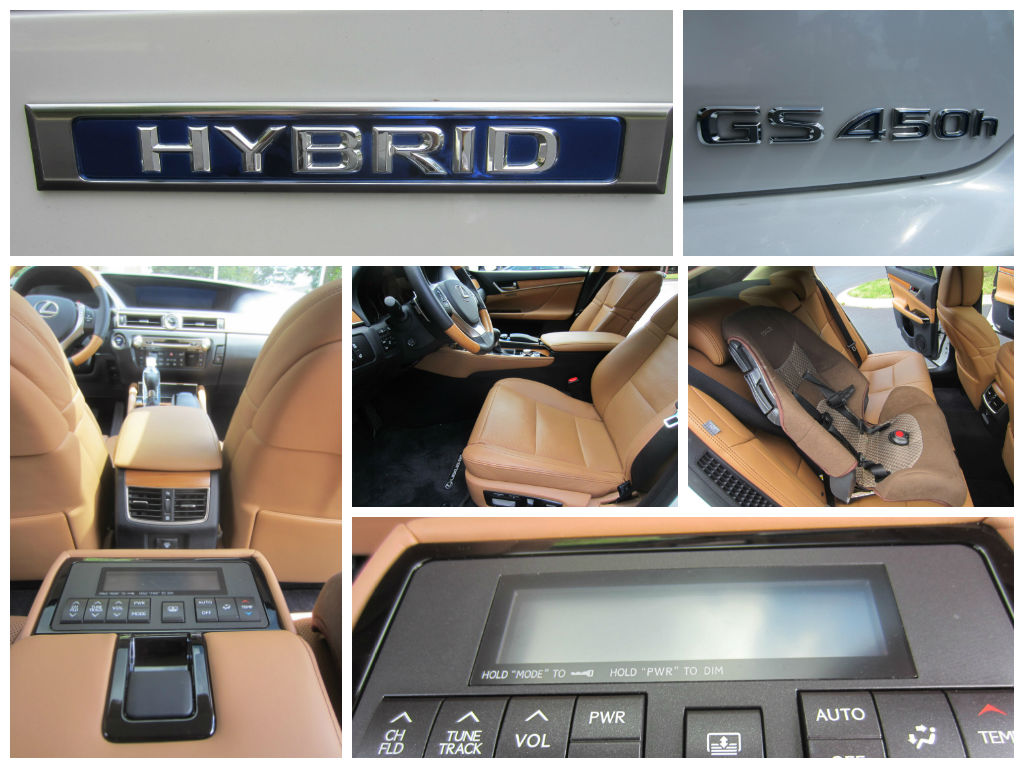
Your favorite part about the car was that the windows have sun shades that pull down. I think it made you feel like you’re in your own private limo. You also liked the Sirius XM station, Margaritaville, (Ch. 24).

Our 2nd Visit To Our “New House”/ 2014 Lexus GS 450h: Family Friendly Review

On the way to school this morning, you begged me, “Turn it to Jimmy Buffet, Daddy!”

(Speaking of the radio, you can control it (along with the air) from a special console that folds down from in between the back seats.)

Needless to say, Mommy thoroughly enjoyed getting to test-drive the car. You and me had as much fun while she did, as we apparently pretended to be pirates, I think…

Our 2nd Visit To Our “New House”/ 2014 Lexus GS 450h: Family Friendly Review

I also enjoyed one particular safety feature it has where it beeps anytime it senses another vehicle as you’re backing up. That’s really cool- came in handy a time or two.

As always, people’s heads turned the entire week as we drove this Lexus around. It happens every time we review a Lexus.

Our 2nd Visit To Our “New House”/ 2014 Lexus GS 450h: Family Friendly Review

I just whipped up this for anyone interested as well: Syncing Your Phone To A New Lexus Vehicle.

And obviously, in the months to come, there will be more house updates as well.

Love,

Daddy

2014 Lexus GS 450h

Fuel economy: 31 combined/29 city/34 highway

Price as shown: $70,000.00.

Syncing Your Phone To A New Lexus Vehicle

I’ve reviewed enough Lexus vehicles by now to have memorized the steps to sync my phone to the car. Now I want to help you learn how to do it. Okay, here we go…

Our 2nd Visit To Our “New House”/ 2014 Lexus GS 450h: Family Friendly Review

Oh, and instead of boring you with long explanations, I’d rather just show you in pictures. You might laugh at my phone, though. It’s not a smart phone.

So first go to “menu,” which is likely a button on the mouse; near the gear shifter.

Next click “phone.”

Meanwhile on your actual cell phone, go to “settings and tools,” then “bluetooth menu,” then “add new device.”

Syncing Your Phone To A Lexus

Once the “add new device” option shows up on your phone, direct your attention back to the Lexus, choosing to “register” your phone with the car.

Syncing Your Phone To A Lexus

From there, your phone and the Lexus will take a few moments to “discover, pair, and connect.”

Syncing Your Phone To A Lexus

After that, you should be good to go. The next time a call is made or received, you’ll be able to carry the conversation over the car speakers.

This whole process takes less than a minute once you know what you’re doing.

Try it out. Let me know if you have any questions. I’m here to help.

The New (and Younger) Buick, Equipped with 4G and OnStar

While I have been steadily (nearly weekly!) been reviewing cars from a family friendly perspective for a solid year now, it’s something I’ve actually been dabbling in before that; since November 2011.

The Rebranded Buick Line, Equipped With 4G and OnStar

Last November, GM flew me up to Detroit for the 2nd time so I could get a behind the scenes look at how OnStar works, as well as to learn about their newly rebranded Buick line. (See Born And Raise In South Detroit… Or I Just Drove Around There and Say Nice Things About Detroit.)

NOV 2013 Nick Shell Detroit OnStar

NOV 2013 Nick Shell Detroit car review

The first time they invited me to Detroit was back in November 2011 to check out the Chevy Traverse (see Rise Of The Dadmobile: The Chevy Traverse and GM Sees Beyond Stereotypes), which marked the very beginning of my now long list of car review stories.

NOV 2011 Nick Shell blogger GM Detroit

They also sent our family on a road trip from Naples to Key West to test drive the Chevy Volt as a family, back in December 2011. (See 7 Reasons This Dad Wants A Chevy Volt and My Son The Beach Bum… Not Really!)

DEC 2011 Naples FL Chevy Volt Nick Shell car review

DEC 2011 P2 DEC 2011 Naples FL Chevy Volt Nick Shell car review

Plus, I reviewed the 2015 Cadillac Escalade a couple of weeks ago. So over the past couple of years, I’ve become quite familiar with GM vehicles. In fact, my college car was a 1994 Oldsmobile Cutlass Supreme.

AUG 2014 2015 Cadillac Escalade

And when it comes to Buicks, my Italian grandfather loved them. He had owned both a Park Avenue and a LaSabre.

But the demographics of who is most attracted to Buicks has been shifting in recent years, as the age of the average Buick buyer has lowered.

So while I did get to drive the new Buick through Detroit last year, I have been eager to try one out where I live in Nashville, TN.

Especially after seeing that very relevant and witty Buick commercial…

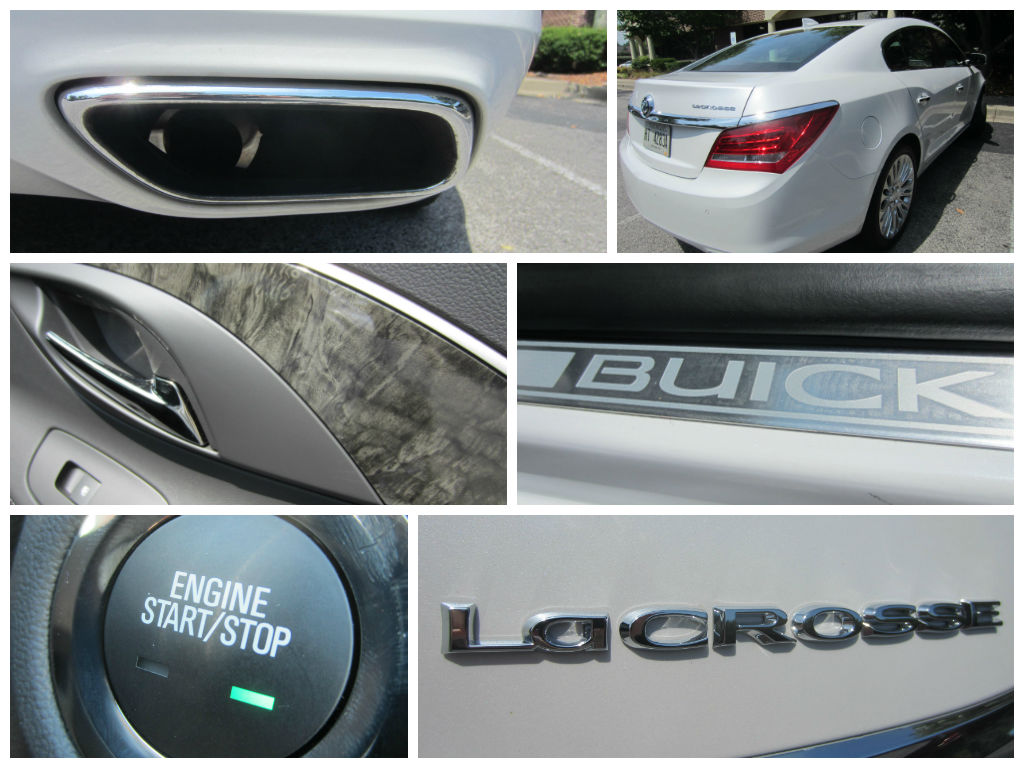
Well, I got my wish. Our family had the privilege of getting to review/model a 2015 Buick LaCrosse, which let me point out, is 4G equipped.

I can honestly say that for our Labor Day Weekend road trip from Nashville to Chattanooga to my hometown of Fort Payne, AL, and back, our son (age 3 years, 9 months) has never had a more peaceful ride.

4G OnStar 2015 Buick LaCrosse

He was too busy playing learning games on the Kindle in the back seat.

Just like any cool coffee shop, certain GM vehicles now have Wi-Fi.

See my recent Syncing To 4G and Using OnStar Remote Link App on GM Vehicles to read what I wrote on how to connect to the 4G in these vehicles. It’s really simple, though.

As for me, I’m an OnStar abuser, if there is such a thing. I know that entering “Whole Foods, Chattanooga, TN” into the GPS is not that much of a chore…

4G OnStar 2015 Buick LaCrosse

But if all I have to do is press one button (the OnStar button) and ask the friendly Michigan-accented person on the other end to send “Whole Foods in Chattanooga, TN” to my GPS, then I’m going to do it every time.

(And by the way, I like the Michigan accent. Think: Tom Selleck.)

During Labor Day Weekend, I took advantage of OnStar’s help no less than 8 times. I learned not to be shy about it after my last Detroit trip to the OnStar Headquarters.

Needless to say, we had a very fun-filled and random road trip. Be on the look-out for my upcoming story, 4G Equipped 2015 Buick LaCrosse: Labor Day Weekend Family Friendly Review.

How To Turn Off/On AC, Change Radio Station, & Sync Phone On New Luxury Vehicles

I should start off by saying that I am not a very high-tech kind of guy…

How To Turn Off/On AC, Change Radio Station, & Sync Phone On New Luxury Vehicles

The proof? I don’t own a smart phone. I have never used Instagram. I have to wait until I get home from work each day before I can check my personal email and social media; including this blog.

So it would make sense why when reviewing the all new 2015 Cadillac Escalade I might have trouble turning off and on the air conditioner, changing the radio station, and syncing up my phone.

(I’ve had the same issues while reviewing many Lexus vehicles in the past 9 months.)

But with a quick call to OnStar, as well as a little bit of YouTube research, I was able to learn “the tricks.”

Sure, it’s extremely simple and quick once you know how to do it; but until you do, you’re lost. (You are lost, if you’re me, at least.)

It all begins with you pressing the Home button.

From there, you can navigate through several options, including Climate, Audio, and Phone.

First let’s talk about how to turn off and on the AC:

Click home, click climate, then press off or on the AC button.

how to turn off/on AC on luxury vehicles

Old-fashioned guys like me (I’m saying that ironically because I was born in 1981) are used to an obvious “AC” button sticking out from the dashboard.

Instead, you now have to press 3 buttons to turn off and on the AC.

To scroll the radio station, click Home, click Audio, then place your finger to the left or right arrow to scroll through all the stations; not simply the ones saved in favorites.

How To Turn Off/On AC, Change Radio Station, & Sync Phone On New Luxury Vehicles

Again, an old-fashioned guy like me is used to an obvious knob sticking out that I can turn.

Lastly, to sync your phone up to the vehicle, so that you can easily speak to people through the vehicle’s speakers, go to your phone’s main menu and look for an option that says something like “Setting & Tools.”

From there, look for “Bluetooth Menu.” Choose “Add New Device.”

Next, shift your focus back on your vehicle’s screen. Click on Home, then Phone, then Sync.

From there, you will be easily prompted by the screen. It should only take a few seconds to sync up.

Hopefully that helps. If not, let me know. I’ll try to further help you.

Thanks for reading, and be on the look out for my upcoming review of the all the 2015 Cadillac Escalade!