
You found it! This is the post where you can quickly and easily learn how to use Driver Assist, as well as sync up your phone in the 2014 Lexus GX 460.
Seriously, there currently is no other post on the Internet that caters to such a specific and targeted demographic.
That makes you special for finding this. Now that you’re here, let’s get to work.
To sync your phone, press “home,” then on the phone symbol. Meanwhile on your phone, pull up the equivalent of “settings and tools.” Find “bluetooth menu” then select “add new device.”
(Keep in mind that all phones are a bit different, but I hope to serve as a decent guide for you today.)
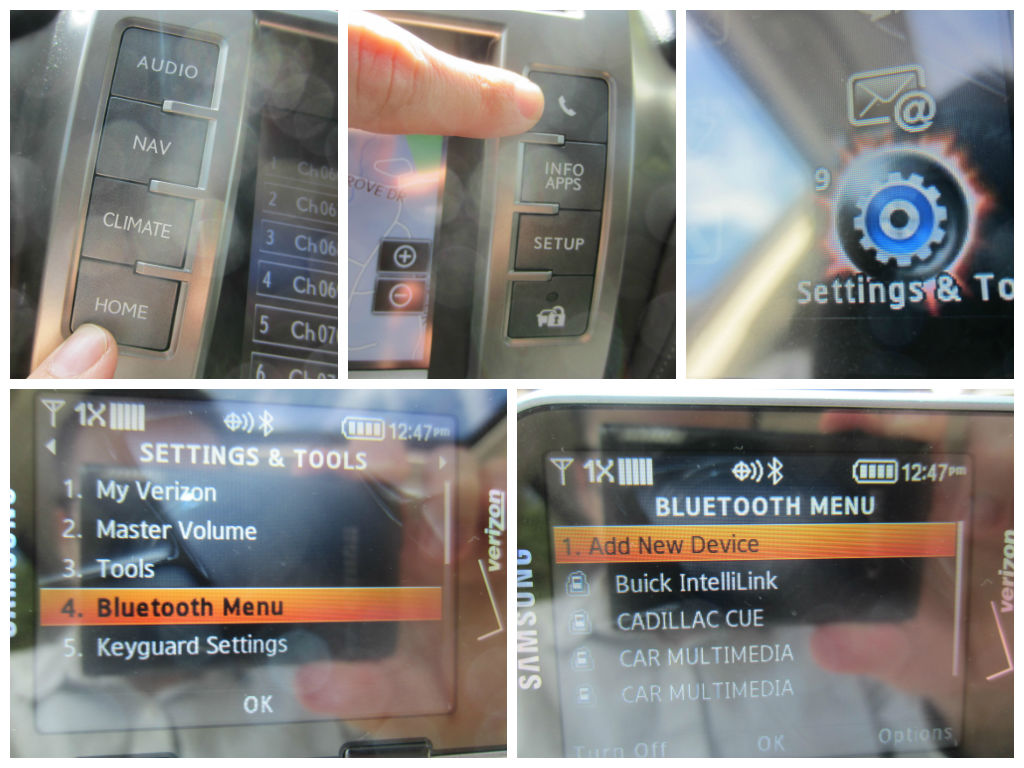
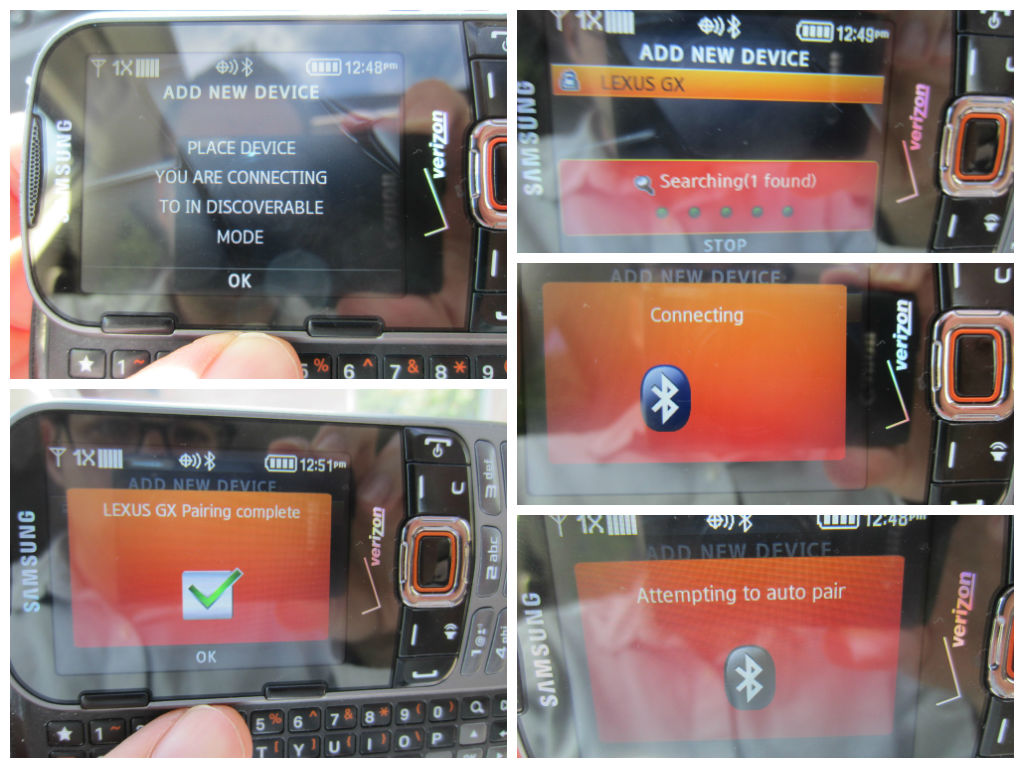
Keep on eye on the panel screen of the vehicle, making sure you select “ok” and “add” once the phone and vehicle begin discovering each other…
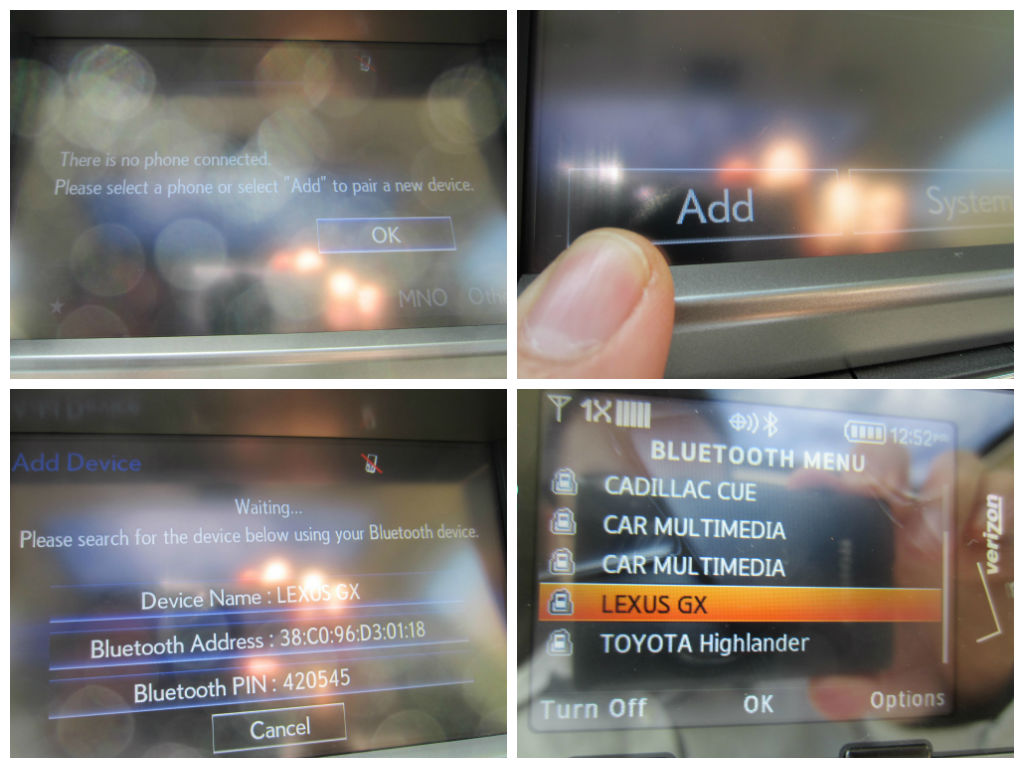
You’ll know for sure everything is complete once you see on your phone that the Lexus GX appears on your “bluetooth menu.” From there, the next time you use your phone, the conversation will automatically happen over the vehicle’s stereo speakers.
Now let’s talk about Driver Assist. I love it because, call me lazy, but I’d rather not have to look up and find the address of my destination.
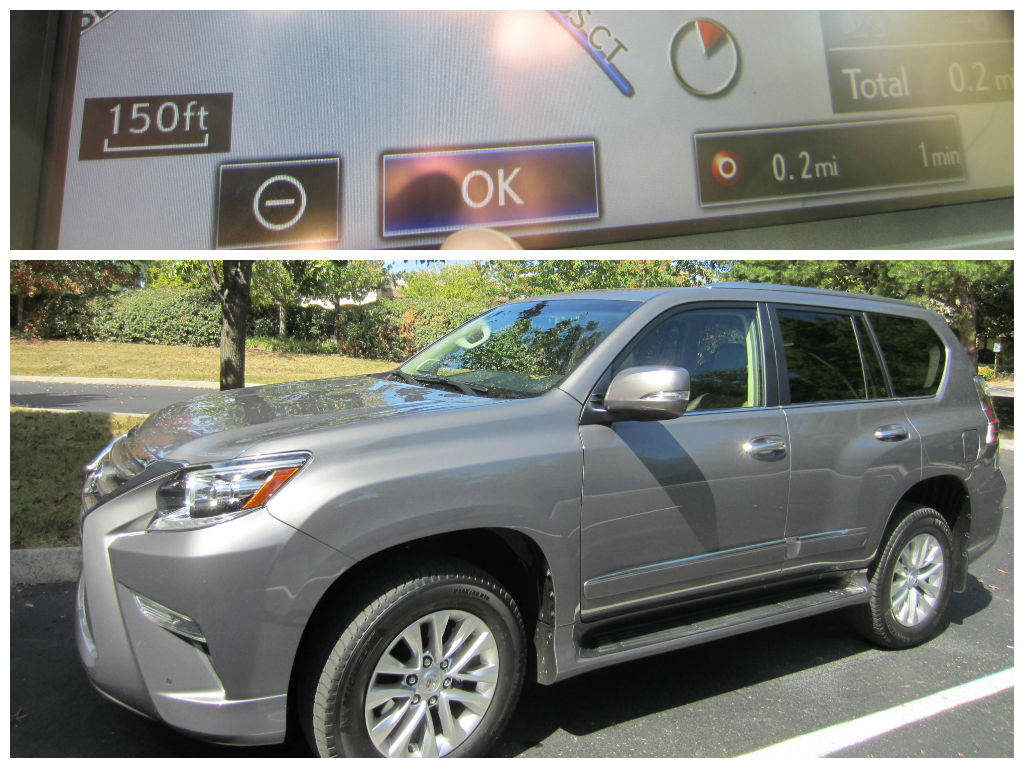
So instead, I just press the “nav” button, then “dest.” on the screen. From there, I press “Destination Assist” and then a friendly person starts talking to me over the stereo speakers, asks me where I want to go, then uploads the route to the GPS.

Then I press “mark” and “go” and “ok.”

Alright, you’re all set. Thanks for finding and trusting me with teaching you this today. You never know when I might come in handy again…
Were you interested in what you just read? Was this post a strangely pleasant distraction to other things popping up on your Facebook or Twitter feed? Ya know… you could always like me on Facebook, follow me on Twitter, or even subscribe to Family Friendly Daddy Blog by clicking on the appropriate icon on the left side of this page. No pressure though…
 Family Friendly Daddy Blog