
After having reviewed the 4G Equipped 2015 Buick LaCrosse over Labor Day Weekend, I felt it wouldn’t be a bad idea to do a quick write-up on how to sync up your phone to the 4G and also demonstrate how to download and use the remote start app.
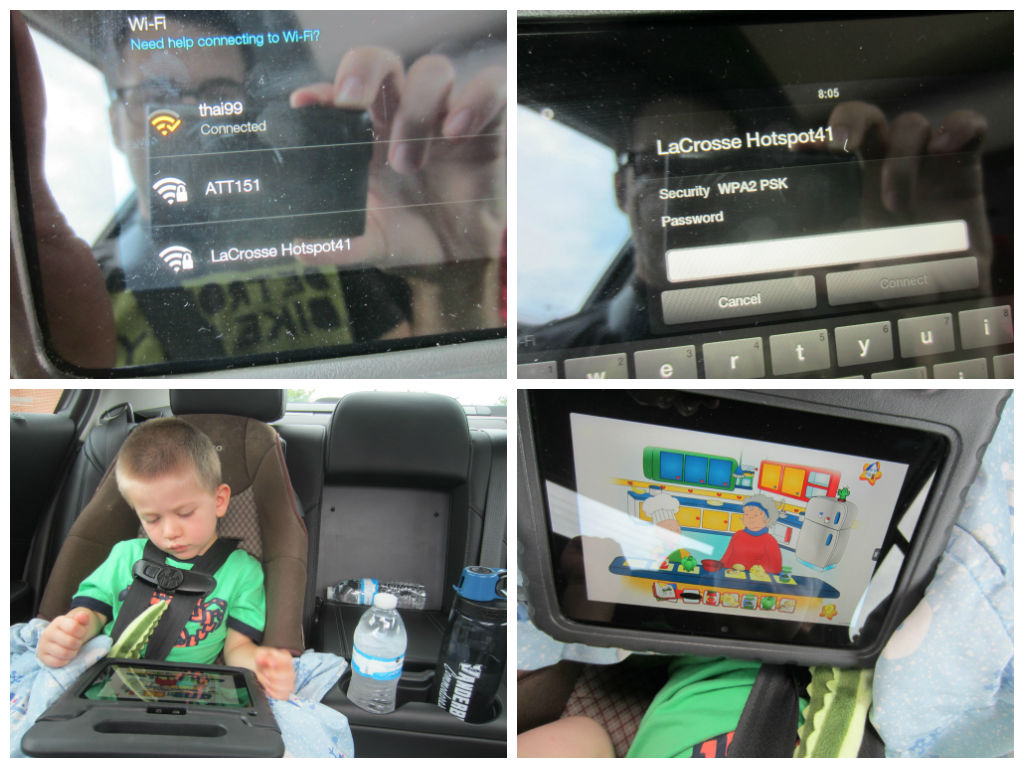
Using these pictures I took as a guide, you will see it as ultimately pretty self-explanatory, given that you know where to start.
To sync up to the Wi-Fi, pull up on your mobile device (phone, Kindle, laptop, etc.) the potential Wi-Fi hotspots. You’ll see the one for the vehicle.
From there, enter your provided password and log-in.
On the vehicle’s screen, you will be alerted when you are synced up.
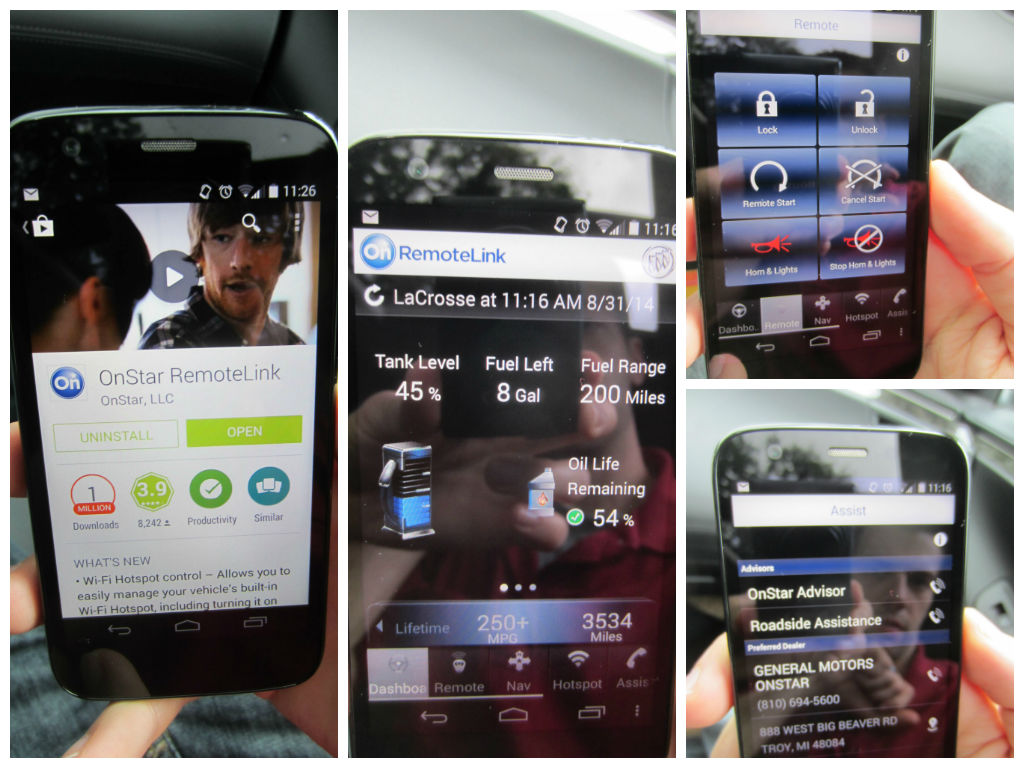
And to use the OnStar Remote Link option, basically just download the OnStar Remote Link App. It looks like this:
Then you can start or turn off your car from your phone. Plus, you can check out how much remaining fuel, oil life, mileage, fuel range, and more.
It definitely works! Like magic.
Thanks for reading! Be on the look-out for my upcoming review of the 2015 Buick LaCrosse, click here!
 Family Friendly Daddy Blog
2 thoughts on “Syncing To 4G and Using OnStar Remote Link App On GM Vehicles”